Total Pageviews

Sunday, July 30, 2023

Code of Items hide/visible by Push Button in Oracle Forms

Trigger of Push Button WHEN-BUTTON-PRESSED and WHEN-WINDOW-ACTIVATED at form level.

declare

m_label varchar2(30);

begin

m_label:=Get_Item_Property('control.filter' ,label);

if m_label = '- Filter' then

set_item_property('control.state',visible,property_false);

set_item_property('control.city',visible,property_false);

set_item_property('control.from_date',visible,property_false);

set_item_property('control.to_date',visible,property_false);

set_item_property('control.filter',label,'+ Filter');

else

set_item_property('control.state',visible,property_true);

set_item_property('control.city',visible,property_true);

set_item_property('control.from_date',visible,property_true);

set_item_property('control.to_date',visible,property_true);

set_item_property('control.filter',label,'- Filter');

end if;

end; 

Tuesday, July 4, 2023

ORA-12528: TNS:listener: all appropriate instances are blocking new connections

ORA-12528: TNS:listener: all appropriate instances are blocking new connections OR

ORA-12528 message 12528 not found product=rdbms facility=ora

Tried to connect a NOMOUNT database, but it failed with ORA-12528.

C:\Users\ed>sqlplus sys/password@orcl as sysdba
...
ERROR:
ORA-12528: TNS:listener: all appropriate instances are blocking new connections

ORA-12528 means that the database is at NOMOUNT state, there's no way to connect to a NOMOUNT database for normal users at client side. On the other side, there's a way that can allow SYS to connect to a NOMOUNT database externally.

In such moment, the connection to the service of database is BLOCKED in the listener, which means, normal connections will be rejected. For example:

SQL> conn hr/hr@orcl
ERROR:
ORA-12528: TNS:listener: all appropriate instances are blocking new connections

Let's check the service status of database in listener.

[oracle@test ~]$ lsnrctl status
...
Services Summary...
Service "ORCL" has 1 instance(s).
Instance "ORCL", status BLOCKED, has 1 handler(s) for this service...

The command completed successfully

Solution

For normal users who want to connect to the database, you have to open the database to able them to access. For connections by SYS, the solution is to add a special parameter UR=A in connect descriptor to lift off the restriction. More specifically, we added (UR=A) for a connect identifier ORCL.

[oracle@test ~]$ vi $ORACLE_HOME/network/admin/tnsnames.ora
...
ORCL =
(DESCRIPTION =
(ADDRESS = (PROTOCOL = TCP)(HOST = standby01)(PORT = 1521))
(CONNECT_DATA =
(SERVER = DEDICATED)
(SERVICE_NAME = ORCL) (UR=A)
)
)

Let's see how we connect the NOMOUNT database.

C:\Users\ed>sqlplus sys/password@ORCL as sysdba
...
Connected.

We solved it.

Sunday, June 25, 2023

How to resolve ORA-00214: control file inconsistent with file


Tried to startup or mount a database, we got ORA-00214.

SQL> startup
ORACLE instance started.
...
ORA-00214: control file
'/u01/app/oracle/fast_recovery_area/ORCLCDB/control02.ctl' version 2286
inconsistent with file '/u01/app/oracle/oradata/ORCLCDB/control01.ctl' version
2248

Let's see its status.

SQL> select status from v$instance;

STATUS
------------
STARTED

What does STARTED means? We can tell what state of database currently is by some means. It's at NOMOUNT now.

Read more....

Friday, June 9, 2023

Schema Assignment to Workspace in Oracle Apex

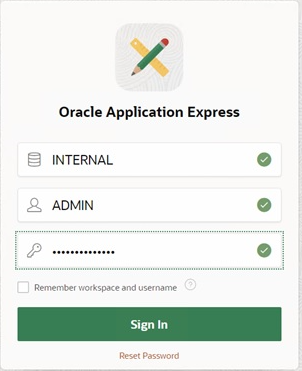
Run oracle apex by entering the link in your browser. In my case I am using chrome and entered the link http://127.0.0.1:8080/apex/apex_admin


Select "manage workspace".


Select "manage workspace to schema assignment".


Select the name of space to which you want to assign schema.


select database schema and apply changes.


Sunday, May 28, 2023

How to fix ORA-00604: error occurred at recursive SQL level 1 and ORA-12705: Cannot access NLS data files or invalid environment specified

Open SQL Developer package content. Go to Applications, right click on SQL Developer and select "Show Package Contents".

  • Go to Contents/Resources/sqldeveloper/sqldeveloper/bin/
  • Open sqldeveloper.conf using a text editor.
Add the following lines:
# Options to avoid "ORA-12705: Cannot access NLS data files or invalid environment specified." AddVMOption -Duser.language=en 
AddVMOption -Duser.region=US 
AddVMOption -Duser.country=en

Restart SQL Developer

If you are facing this issue in oracle apex and ords installation by executing C:\apex_20.2\ords>java -jar ords.war command.

First execute query:

select userenv('LANGUAGE') from dual;`

This will give oracle regional and language. Change the regional and language in OS, both should match.

--------------------------------------------------------------------------------

[SOLVED]

For those who encountered same problem and is checking on this.

I finally found the solution by setting my default language to English(United States). Any region would suffice as long as my language is set to this.

Go to Control Panel > Clock and Region > Region

Select English(United States)


Sunday, May 14, 2023

Step by step Oracle Apex 20.2 installation on Windows


Here a step by step installations activity for APEX 20.2 with ORDS 20.4.1, full installation on Windows Oracle Axpress 11g with database version 11g.


I have downloaded the binaries/medias from below links.


Sunday, April 2, 2023

Failed to Start the X server (your graphical interface)

Problems with the X Server Crashing and Non-Root Users

If you are having trouble with the X server crashing when anyone logs in, you may have a full file system (or, a lack of available hard drive space).

To verify that this is the problem you are experiencing, run the following command:

[oracle@localhost ~]$ df -h

The df command should help you diagnose which partition is full. For additional information about df and an explanation of the options available (such as the -h option used in this example), refer to the df man page by typing man df at a shell prompt.

A key indicator is 100% full or a percentage above 90% or 95% on a partition. The /home/ and /tmp/ partitions can sometimes fill up quickly with user files. You can make some room on that partition by removing old files. After you free up some disk space, try running X as the user that was unsuccessful before.

OR

This problem may be resolved in this way:

1. When the message about viewing the X server output came, I pressed Ctrl Alt F2
2. Now on the new shell I ran command sudo Xorg -configure
3. Then I copied /home/oobe/xorg.conf.new to /etc/X11/xorg.conf
sudo cp /home/oobe/xorg.conf.new /etc/X11/xorg.conf
4. At last I started X using command startx.

The Fix for the Double Login Prompt when run report 6i from form

  Since you are running in a Desktop (client-server) architecture , the login prompt and buffering are directly tied to how the local Window...